
ScreenConnect Add-On Attack: The Forgotten Tool That Skipped MFA
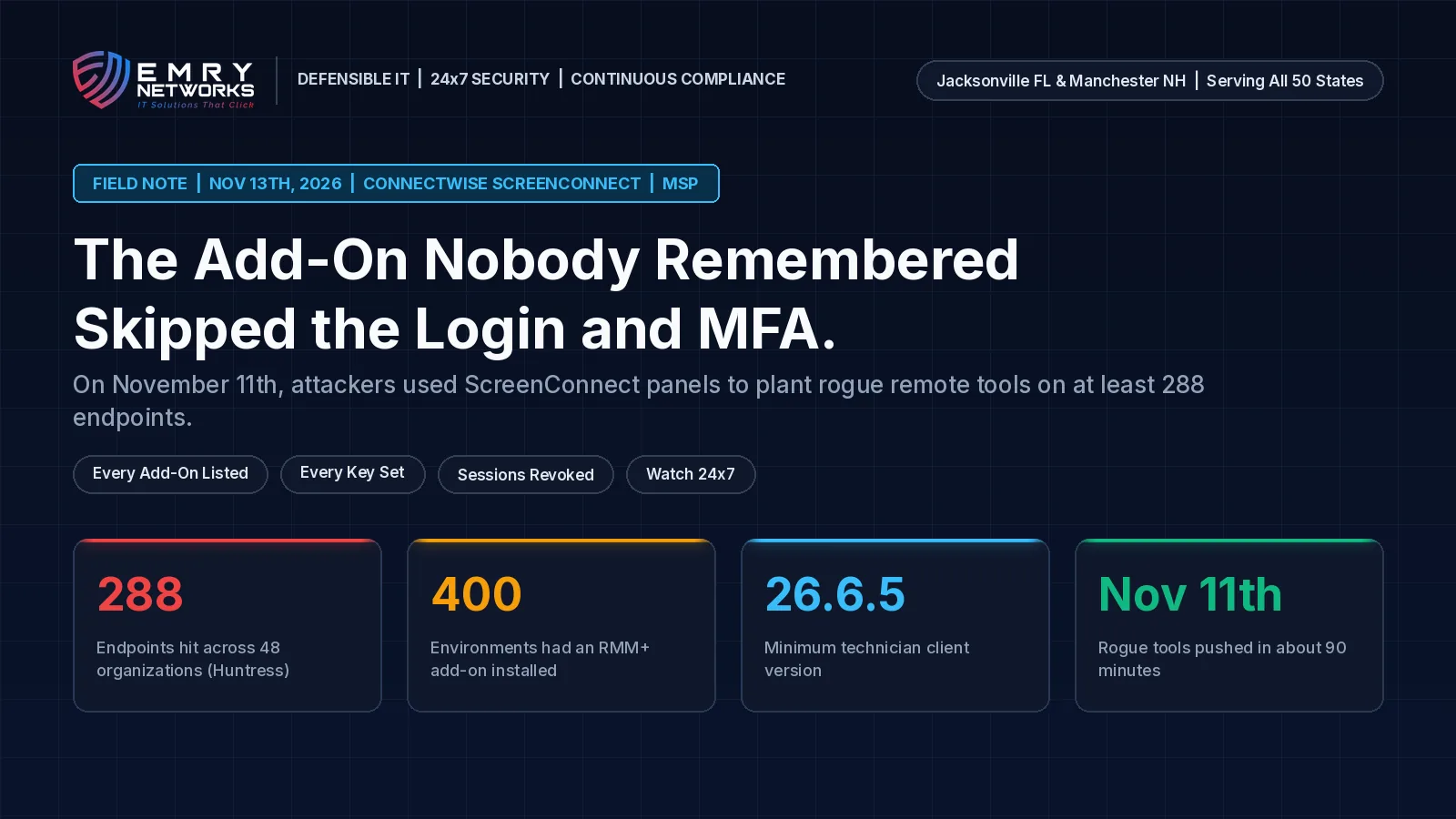
On Wednesday, November 11th, 2026, Huntress saw attackers use access to several cloud-hosted ConnectWise ScreenConnect panels to push commands to managed computers. ScreenConnect is a remote access tool that many managed service providers (MSPs) use to support their clients. The commands installed rogue ScreenConnect clients and a toolkit Huntress calls SCKit on at least 288 endpoints across 48 organizations that use Huntress, all within about 90 minutes. (Huntress) Huntress says the activity appears tied to RMM+, a third-party ScreenConnect extension that, in versions 1.0.31 and 1.0.32, accepted a blank access key when nobody had set one, and that works outside ScreenConnect's logins, roles, and MFA.
This is a field note from how we work. When we run a Phase 1 Regulatory Discovery for a regulated business, remote tools are one of the first places we look, because one console can reach every computer an MSP manages. This week's lesson is that the console is only part of the picture. The add-ons on that console matter too, especially the ones someone installed for a project and never removed.
Watch the 60-Second Briefing: Watch our narrated YouTube Short on the ScreenConnect add-on attack and the three questions to ask your MSP, on YouTube (@emrynetworks).
What should regulated businesses take away from the ScreenConnect add-on attack?
An add-on can quietly skip the controls you paid for. Huntress found that most RMM+ installations it saw were legitimate, "usually added for a project and left in place." When its access key was never set, a caller could send commands that reached endpoints with no matching login. MFA on the main console did not help, because the add-on did not go through it.
- Who is affected: businesses whose MSP or internal team runs ConnectWise ScreenConnect, especially with RMM+ family extensions installed.
- What happened: attackers used partner ScreenConnect panels to install rogue remote access tools on managed computers on November 11th, 2026.
- What to verify now: that the five named extensions are disabled, that every technician's ScreenConnect client is on version 26.6.5 or later, and that all active sessions were revoked and credentials reset.
- Why it matters for compliance: HIPAA, SOC 2, PCI DSS, and cyber insurance reviews can all ask who can reach your systems and how you check it.
What happened to ScreenConnect on November 11th, 2026?
At about 12:47 PM ET on November 11th, 2026, Huntress observed suspicious activity on endpoints tied to several ScreenConnect environments. An attacker with access to cloud-hosted panels used ScreenConnect's Run command feature to push scripts to groups of managed computers. Those scripts installed attacker-controlled ScreenConnect clients and the SCKit toolkit, which Huntress says establishes persistent remote access and includes a session-cookie relay. Huntress has not observed that method succeed against technicians.
Was ScreenConnect itself hacked?
ConnectWise says no evidence so far points that way. In its Trust Center advisory, last updated at 1:45 PM ET on Thursday, November 12th, 2026, ConnectWise says it has found no evidence of a compromise of ConnectWise infrastructure or that initial access involved a ScreenConnect vulnerability. Its initial assessment is that a threat actor abused independent third-party extensions installed in partner environments, and it is still validating that assessment. (ConnectWise Trust Center)
What is RMM+ and why did it skip MFA?
RMM+ lets another tool manage ScreenConnect sessions through an API, without a technician working in the console. It checks requests against a shared access key stored in the extension's settings. Huntress reports that in versions 1.0.31 and 1.0.32 that key defaulted to blank, so a request with an empty key could pass when no key had been set. ConnectWise says it is assessing that report alongside its investigation. Separately, ConnectWise's disclosure for CVE-2026-127063 describes a default API secret problem in DataComm's third-party RMM+ extension, not in the ScreenConnect server or client, affecting all extension versions. No fixed RMM+ version has been announced; disabling the extension is the current mitigation. (CVE-2026-127063 disclosure)
What has ConnectWise done?
ConnectWise identified about 400 partner environments with at least one extension from the RMM+ family installed and disabled them in its cloud as a precaution. It stresses that this number reflects environments with the extensions installed, not confirmed compromises. The five extensions are Labtech Plus, RMM Plus, RMM+, RMM Plus Password Link, and RMM+ Password Link. Self-hosted (on-premises) partners must disable them themselves and should not re-enable or reinstall them pending further guidance. (ConnectWise partner guidance)
Why does the technician's own app matter?
The SCKit toolkit tries to spread from an infected computer back to the technician who connects to it. ConnectWise says that technique is blocked by its fix for CVE-2026-84869, released in ScreenConnect client version 26.6.5 on September 8th, 2026. CISA added CVE-2026-84869 to its Known Exploited Vulnerabilities catalog on September 11th, 2026. (NVD) Researchers say they have not seen the spread technique succeed so far. Still, ConnectWise tells every partner to confirm that each technician client is on 26.6.5 or later, because updating a cloud console does not update the technician's own app. CVE-2026-127063 is not in CISA's KEV catalog as of the morning of November 13th, 2026. (CISA KEV)
Why can a provider's remote tool become an attack path?
Your MSP's remote tools sit inside your network with the reach of an administrator. When one of those tools, or an add-on bolted onto it, is weak, an attacker does not need to break into you directly.
- Reach. One ScreenConnect panel can run commands on every computer it manages, across many clients.
- Forgotten add-ons. Extensions added for a project can fall off the asset list, and then nobody checks their keys.
- Bypassed controls. An add-on with its own key can skip the console's logins, roles, and MFA.
- Oversight. Under HIPAA, a managed IT provider that handles protected health information is a business associate, and you are expected to have a business associate agreement and to manage that relationship. (HHS sample BAA provisions) SOC 2 vendor management and cyber insurance questionnaires ask the same question in other words.
Is "our MSP uses MFA" enough for an auditor?
No. MFA on the console is a good start, but an auditor or insurer can ask which other paths reach your systems, including APIs, extensions, and service accounts. A dated add-on register and a key review answer that. A sentence in a sales deck does not.
What three questions should you ask your MSP this week?
Send these in writing and keep the replies in your vendor oversight file.
- Which remote tools reach our computers, and which add-ons or extensions run on each one? Ask who installed each add-on, when, and why it is still needed.
- Does every add-on key have a strong, unique value, and who can see it? Blank or default keys should be treated as an open door.
- Were all active sessions revoked, credentials reset, and every technician app updated to 26.6.5 or later? Ask for the date. ConnectWise notes that password resets alone do not end existing sessions.
What if something looks wrong?
If you find a remote access client nobody installed, commands nobody recognizes, or new admin accounts, treat it as a possible incident. ConnectWise advises against using ScreenConnect to investigate affected computers; use EDR or another trusted out-of-band method, preserve the logs first, and include the technician workstations that connected to those computers.
How does Standard IT differ from Defensible IT for remote-tool add-ons?
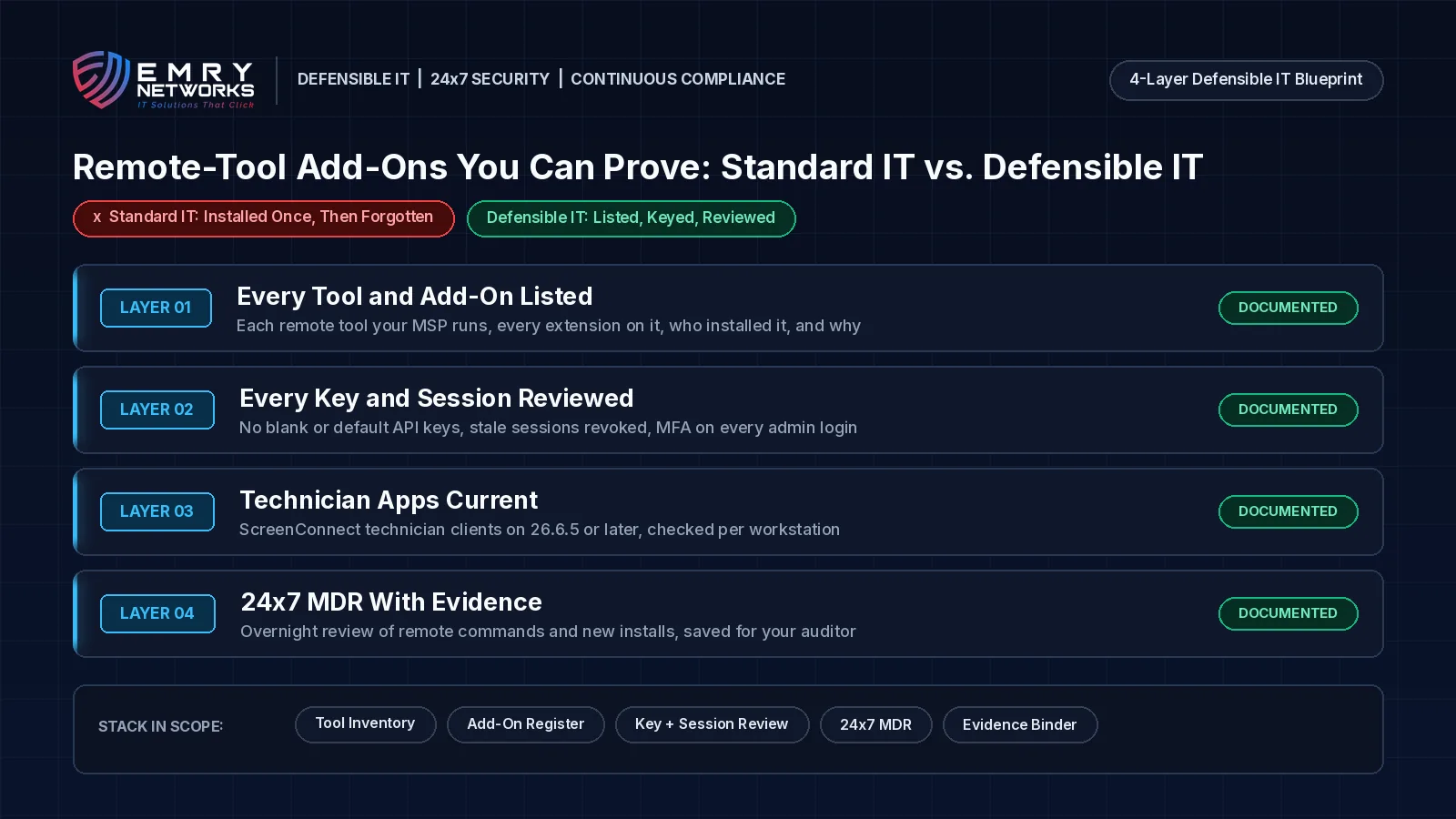
Standard IT installs an add-on to finish a project and moves on. Defensible IT keeps a dated register of every remote tool, every add-on, every key, and every open session, and reviews it on a schedule.
Standard IT says "we have MFA on the console." Defensible IT can show every path into the console, who owns each key, and the date it was last reviewed.
Standard IT looks like this:
- No list of which add-ons run on the remote tools that reach your network.
- Extension keys left blank or at their default value.
- Technician apps updated "when someone gets to it," with no per-workstation check.
- No written split of duties between your team and the MSP.
Defensible IT looks like this:
- A register of every remote tool and add-on, who installed it, and why it stays, kept current through compliance-first managed IT services.
- Every add-on key set to a strong value, owned by a named person, and reviewed after every vendor advisory.
- Technician clients checked per workstation, with stale sessions revoked from a trusted device.
- 24x7 managed detection and response so an unexpected remote install at 2 a.m. gets a human response that night, with dated notes saved to your evidence folder.
How does Emry Networks help regulated businesses in Jacksonville FL, Manchester NH, and nationwide?
Emry Networks provides managed IT, cybersecurity, and IT compliance program support for medical and dental groups, law firms, financial advisors, defense contractors, logistics firms, and other regulated industries. We serve regulated SMBs nationwide from hubs in the Jacksonville, FL and Manchester, NH areas. Pricing is all-inclusive and flat monthly, so overnight incident response does not bring a surprise invoice. Every engagement follows the 3-phase Emry Assurance Roadmap (often delivered as a 90-day blueprint):
- Phase 1 - Red Zone (Regulatory Discovery): Inventory every remote tool, add-on, key, and admin account, map who owns which duties, and deploy EDR, logging, and device management.
- Phase 2 - Transition (Security Hardening Sprint): Remove add-ons nobody needs, set strong keys on the rest, turn on MFA for every admin, and route remote-session alerts to 24x7 coverage.
- Phase 3 - Green Zone (Continuous Management & Drift Control): Recheck the add-on register and technician apps every release cycle, confirm nothing drifted, and hand you dated before-and-after evidence for your auditor.
Not sure what your MSP's tools can reach? Book a 30-Minute Risk Assessment. In thirty minutes we review your remote tools, add-ons, and MSP access, then tell you plainly what we find. Prefer the phone? Call (603) 202-3200.
What are the next steps for your team?
Book a 30-Minute Risk Assessment to review your MSP's remote tools, add-ons, keys, and sessions. Before that call, ask your MSP for its list of remote tools and extensions, the date sessions were last revoked, and the client version on each technician workstation.
- Book a 30-Minute Risk Assessment with our team. Prefer the phone? Call (603) 202-3200.
- Take the free Compliance Readiness Assessment to see where you stand.
- See how we stabilized a logistics company's IT in our managed IT stabilization case study.
Frequently asked questions
What happened with ScreenConnect on November 11th, 2026?
Huntress saw attackers use access to cloud-hosted ConnectWise ScreenConnect panels to push commands that installed rogue ScreenConnect clients and a toolkit called SCKit on at least 288 endpoints across 48 organizations, within about 90 minutes. ConnectWise is investigating and says its initial assessment points to abuse of independent third-party extensions.
What is the RMM+ extension flaw?
RMM+ is a third-party ScreenConnect extension that lets other tools run sessions through an API protected by an access key. Huntress reports that versions 1.0.31 and 1.0.32 accepted a blank key when none had been set, which let requests skip ScreenConnect's logins, roles, and MFA. ConnectWise says it is assessing that report. Separately, CVE-2026-127063 is a default API secret in DataComm's RMM+ extension that affects all extension versions. No fixed version has been announced; disabling the extension is the current mitigation.
Was ScreenConnect itself vulnerable?
As of November 12th, 2026, ConnectWise says it has found no evidence of a compromise of its infrastructure or that initial access involved a ScreenConnect vulnerability. It does tell partners to keep technician clients on version 26.6.5 or later, which blocks the toolkit's attempt to spread back to technicians.
What should ScreenConnect users do now?
Confirm the five RMM+ family extensions are disabled, update every technician client to 26.6.5 or later, revoke all active ScreenConnect and identity-provider sessions from a trusted device, reset credentials, enforce MFA, and investigate suspicious computers with separate security tools rather than ScreenConnect.
How does 24x7 MDR differ from a business-hours ticket queue?
A business-hours queue may not see an unexpected remote install at 2 a.m. until the next morning. 24x7 managed detection and response puts a person on that alert the same night and leaves dated evidence for your security file.
Next steps
See how we help businesses in your industry, or book a short call to talk through where you stand today.
Read more from our team
Explore insights on compliance and security.

Ready to strengthen your compliance?
Get hands-on assessment and guidance from our compliance experts.